$15 $22
Introductory Launch Pricing
MEOW included free with every plugin purchase.
Buy for Windows $15
macOS build: Audio Unit (AU) + VST3, 64-bit. Not compatible with Pro Tools (there is no AAX version).
Get the Core Collection $55
Six plugins, with MEOW included free. Available for Windows and macOS.
License key required, delivered by email after purchase.
It Does Not Stop At Clipping
200x
Up To 200x Drive Gain

Most conventional overdrives reach their limit around 20x. SANCTIFY keeps accelerating into a second range, pushing toward 200x until the selected clipping law becomes the dominant shape of the signal.

More gain is not the point. The transformation after it is.

Interactive Chamber

Choose the Clipping Law

808 tightens the input and clips symmetrically. MOD opens the low end and clips each half differently. Choose the law, then decide how far it is allowed to go.

In
808 / CUSTOM
Out
Shape
Aftermath
808 Symmetric
Filter720 HZ
DriveClipped
GateControlled
RestrainBalanced
ParallelStacked
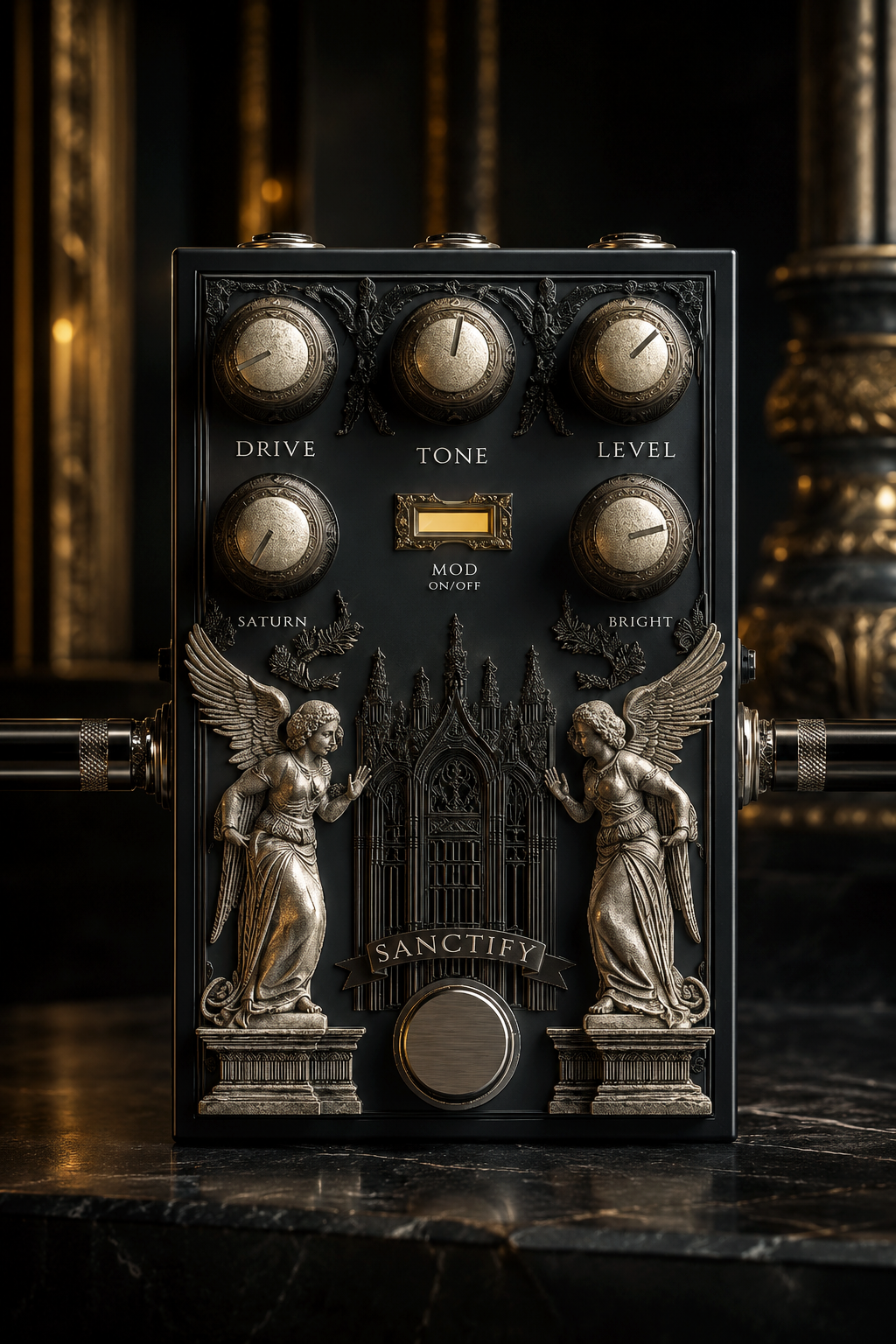
SANCTIFY dual-voice overdrive and saturation plugin interface
808
SANCTIFY MOD switch off for 808 clipping mode
Focused. Controlled. Cuts through.
MOD
SANCTIFY MOD switch on for MOD clipping mode
Wider. Warmer. Heavier.
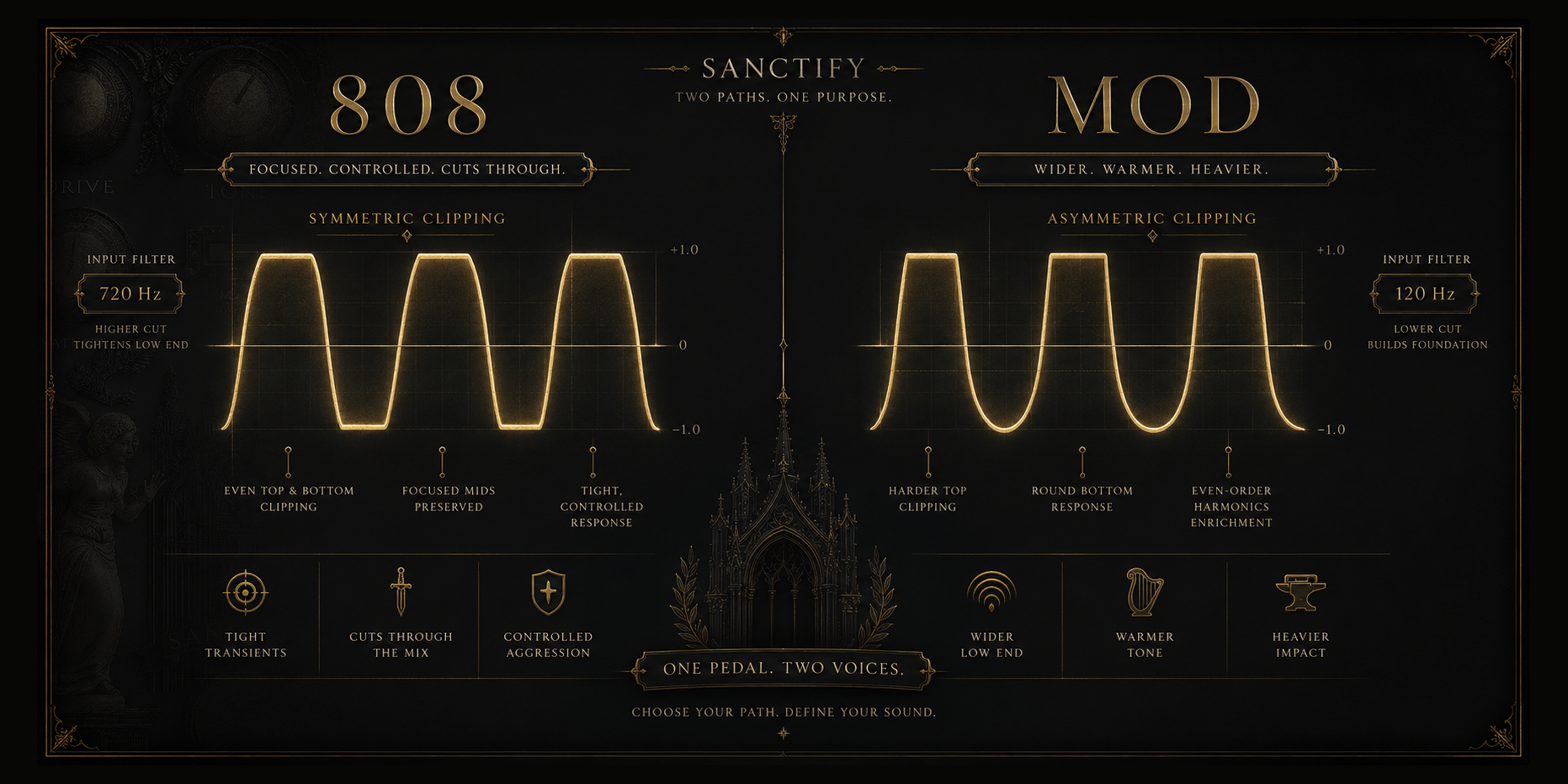
SANCTIFY 808 symmetric and MOD asymmetric clipping comparison
Gate, Restrain, Parallel Mix

Control the aftermath

Let the distortion become violent without surrendering the entire signal.

Gate
Tracks the input so silence stays silent. Move from gentle cleanup to a hard stop without asking the distorted tail to decide when the gate closes.
Restrain
Controls output energy while leaving the clipping character intact. Push the drive, keep the comparison honest, and stop loudness from becoming the entire argument.
Parallel Mix
Keep the dry attack and low-end definition underneath the processed path. Raise the distortion around the source instead of replacing every part of it.
Practical Outcomes

Three ways to use the law

01
Cut Through
Choose 808. Tighten the input, preserve the center, and force the distorted signal through a mix that is already crowded.
02
Build Weight
Choose MOD. Let the low end enter, use the asymmetric shape, and reinforce the source with a broader harmonic body.
03
Lose Control
Raise DRIVE and SATURATION, hold the output with RESTRAIN, then decide how much of the original signal remains underneath.
Ten Scenes
CHAOS
Scene 0 protects the settings in front of you. Scenes 1 through 9 open different combinations of drive, tone, level, saturation, brightness, and clipping law. Move through them until SANCTIFY becomes something you would not have dialed by hand. Nothing gets lost. Everything gets found.
What it carries
Zero LatencyNo added plugin delay
True StereoIndependent L / R, linked dynamics
4x OversampledGreatly reduced aliasing
Noise GateKeyed from the dry input
RestrainLoudness governed, character kept
Parallel MixDry layered under the wet path
Built for the session
Presets
Start from a factory sound or save your own. Undo protects accidental deletion.
Resize
Move between 50%, 75%, and 100% without changing the control layout.
Recall
Every parameter, CHAOS scene, and interface preference returns with the DAW project.
For those who want the architecture

Inside the law

Open Technical Reference +
01
Input Filters
808 filters the input at 720 Hz, concentrating the drive stage on the midrange. MOD lowers the filter to 120 Hz so the low end enters the clipping stage intact.
02
Clipping Laws
808 clips both halves of the waveform identically. MOD clips asymmetrically, closing the positive swing near 0.5 while allowing the negative side travel to roughly -0.7, generating even-order harmonics.
03
Gain Architecture
A two-range drive curve reaches roughly 200x the gain of a conventional overdrive, pushing past amplification into full reshaping.
04
Gate and Restrain
The gate tracks input activity rather than the distorted output. Restrain matches output energy to input energy so louder never wins by default.
05
Parallel Mix
The dry path stays available beneath the processed path, preserving transient attack and low-end definition. A dead zone near zero prevents accidental bleed.
06
Engine
True stereo processing with linked dynamics. Drive and saturation run at 4x the host rate to greatly reduce aliasing before output. No added plugin latency.

Choose your law

Focused symmetry or deliberate imbalance. Push either path until the signal becomes something else.

Format
VST3 / AU
Platform
Windows / macOS
Architecture
64-bit
Latency
Zero
Oversampling
4x
GUI
Resizable 50-100%
Questions
808 uses a tighter input filter and symmetrical clipping for a focused, controlled voice. MOD lowers the filter, keeps more low end, and clips the two halves differently for a wider, warmer, and heavier result.
RESTRAIN controls output energy after the drive structure has been created. It lets you push the clipping and saturation harder without allowing the louder setting to win only because it is louder.
Yes. Low DRIVE and SATURATION settings can add controlled warmth, focus, and parallel density. Higher settings move from obvious clipping into a much more transformed signal.
Parallel Mix keeps the dry attack and low-end definition available underneath the processed path. It is useful when the distortion needs to become dense without erasing the original source completely.
64-bit VST3 for Windows, and Audio Unit (AU) + VST3 for macOS (64-bit). Compatible with DAWs that support these formats. No AAX, so it is not compatible with Pro Tools.
No. Windows and macOS are separate purchases. Each platform has its own checkout.
After purchase, you'll receive a license key by email. Each license is intended for one user and includes activation for up to 2 machines. If you change computers or need an activation reset, contact support and we'll help.
All digital purchases are final due to the nature of downloadable software. If you have an installation, compatibility, or activation issue, contact support and we'll help you get it working.
Sanctify's CPU use depends on the amount of harmonic, stereo, saturation, and spatial processing active in the patch. Lighter settings are efficient, while more intense settings use more processing. It uses pure DSP with no sample libraries, so RAM use is negligible.
Not currently. These plugins are launching with introductory pricing for a limited time, with regular pricing planned after the launch period.